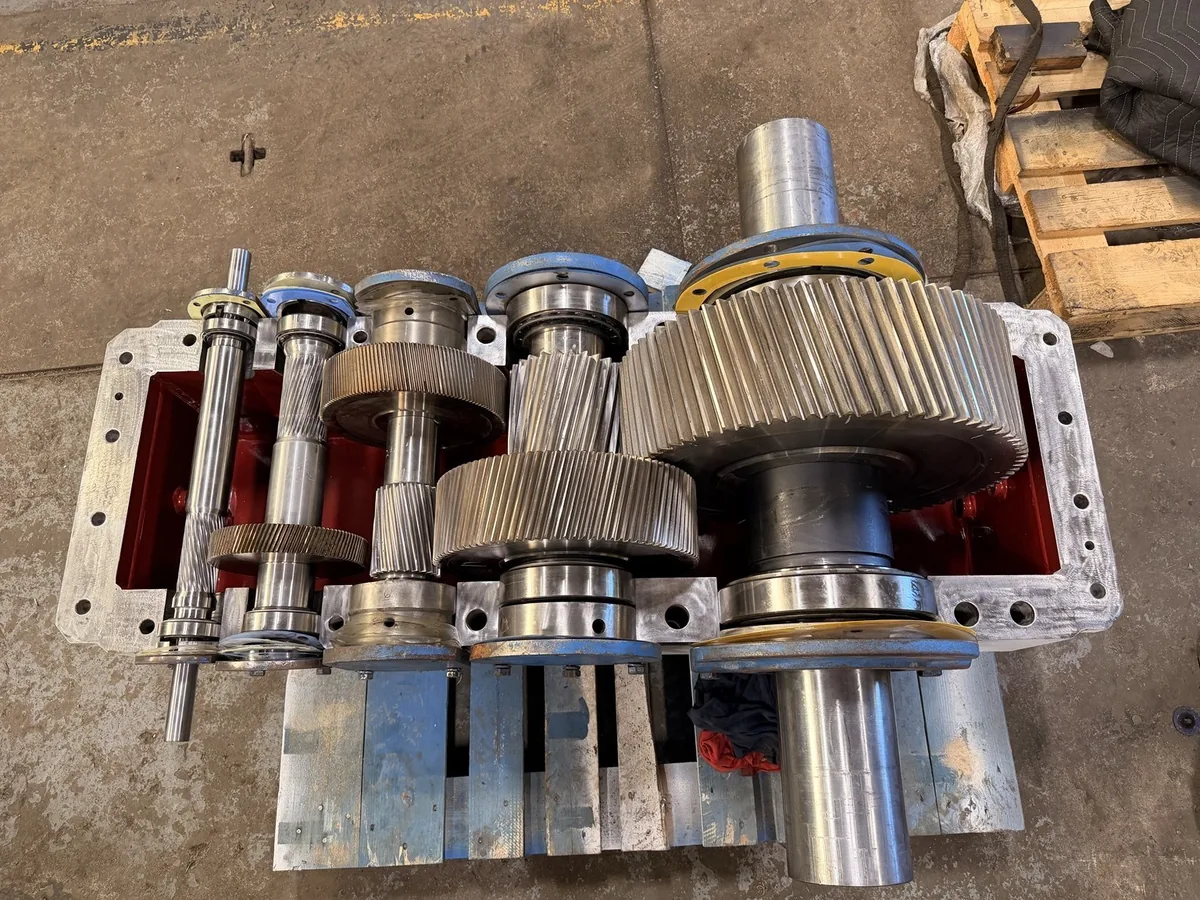
For a Lufkin gearbox, the most useful repair record combines unit identification with the conditions under which it operates. “Lufkin gearboxes” covers equipment that cannot be evaluated from a brand name alone. Include the nameplate, available drawings, driven-machine details, and service history.
Collect the installed-unit record
Baker Hughes provides Lufkin Gears and Allen Gears service information. Use the documentation associated with the actual installed equipment when identifying the service route and technical requirements. Avoid substituting information from a different legacy product or unrelated machine.
Make historical records usable
Attach prior inspection findings, repair reports, lubricant records, and available vibration or temperature trends with their dates. Mark which records describe the current configuration. An archive of old documents is useful only when the evaluator can connect it to the present assembly and distinguish approved changes.
Separate workshop and field responsibilities
- Identify who will remove, transport, reinstall, and align the equipment.
- List connected lubrication, cooling, monitoring, and coupling equipment.
- Specify which investigations need the operating machine at the facility.
- Agree on repair acceptance and the records needed for recommissioning.
Evaluate a repair proposal as a complete project
Ask what findings support component reuse and what would trigger additional work. Compare procurement, inspection, repair, testing, and logistics separately. Availability of a brand-specific service resource does not confirm a particular shop’s capacity, authorization, test equipment, or field-service coverage; confirm those details for the proposed project.
Manufacturer reference
Baker Hughes: Lufkin Gears services. This manufacturer resource supports equipment identification and planning; it does not establish Industrial Gearbox Service as an authorized repair center or parts distributor.
Prepare your equipment details
Record the nameplate, application, symptoms, facility location, and required date in the repair brief. The repair brief tool saves the brief to your device; it does not send a request. Service suitability, parts availability, and delivery arrangements require confirmation.